
(210) 569-2671

Experience Overview
The Establishment
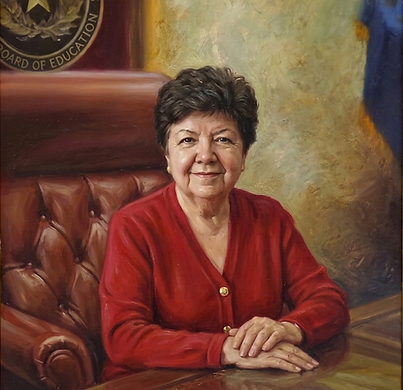
Official state portraits project a sanitized, unchallenged version of power. This installation confronts the curated halls of government by targeting the legacy of those who held the highest office and the damage they caused.
The Override
Using targeted image tracking, the application locks onto the physical frames of the official governor portraits. Look through the lens, and the establishment figures are instantly erased and overwritten by a new digital layer.
The True Leaders
The governors are replaced by the civic heroes, organizers, and activists who actively fought their overreach. The experience strips the power from the establishment and centers the voices of the actual resistance.
Unsanctioned Reality
This is an unauthorized, un-removable reclamation of public space. By digitally hijacking these monuments of power, the installation bypasses official gatekeepers to force a confrontation with the true history of the state.
Requirements and Instructions
What You Need
-
A Charged Phone: Make sure your device is fully charged and your web browser is updated.
-
The Link: The experience runs directly in your mobile browser via Mattercraft—no app download required.
-
The Right Spot: This activation only works on the first floor of the rotunda. Portraits on the upper levels will not trigger the AR experience.
How to Use the AR Overlay
-
Head to the Rotunda: Go to the first floor of the Capitol where the official governor portraits are hanging.
-
Open the Experience: Tap the provided Mattercraft link on your phone.
-
Scan the Frame: Point your camera at a portrait and center the physical frame on your screen.
-
Hold Steady: Wait a second for the tracking to lock in. The governor's image will be erased and replaced by the civic heroes who stood against them.
Ground Rules
-
Keep it Digital: This is a virtual protest. Do not touch, alter, or interact with the physical portraits or the building walls in any way.
-
Be Respectful: Be courteous to Capitol staff, security, and other visitors.
-
Keep Moving: Be aware of your surroundings and do not block walkways, doors, or the flow of foot traffic while looking through your phone.
Featured Heroes
Discover the Leaders Hidden in Plain Sight

1932-2013
Chief Clayton Sylestine
Chief Sylestine organized legal battles to defend tribal lands from state taxation and regulation during Gov. White's administration. He successfully petitioned federal authorities, demonstrating that tribal sovereignty was a treaty-protected right that state executives could not unilaterally violate.

1907-1957
Lulu Belle Madison White
When Gov. Shivers attempted to brand all civil rights organizers as communists during the Red Scare, White fearlessly expanded the NAACP's base. She organized vast rural registration campaigns, collected legal funds for the Mansfield desegregation efforts, and remained the unyielding face of organized resistance against Shivers' state prosecutors.

1948-present
Phyllis Frye
Frye organized the first national conferences on transgender law and advocated for non-discrimination policies in municipal codes. She worked directly with local courts to establish protections, showing that trans individuals could secure judicial authority despite Gov. Perry's anti-LGBTQ+ campaigns.
1943-present
Vilma Martínez
Martínez coordinated the legal defense against Gov. Briscoe's education code amendment. Recognizing that denying education to undocumented children would create a permanent underclass, she constructed the arguments for Plyler v. Doe (1982), convincing the Supreme Court that equal protection guaranteed public education to all children.

1903-1977
Maceo Smith
Maceo Smith leveraged Black economic independence to fund structural civil rights lawsuits. He organized the Hall of Negro Life at the 1936 Texas Centennial, directly counteracting Gov. O'Daniel's public narratives of Black intellectual inferiority, and laid the regional legal scaffolding for what would eventually become the Sweatt v. Painter victory.

1932-1999
Gregory Luna
Luna, who co-founded the Mexican American Legislative Caucus, worked within the legislature to craft school finance bills that could withstand Gov. Clements' veto pen. He held news conferences showing the school funding gap and maintained legislative pressure that forced the state to adopt the first 'Robin Hood' funding model.